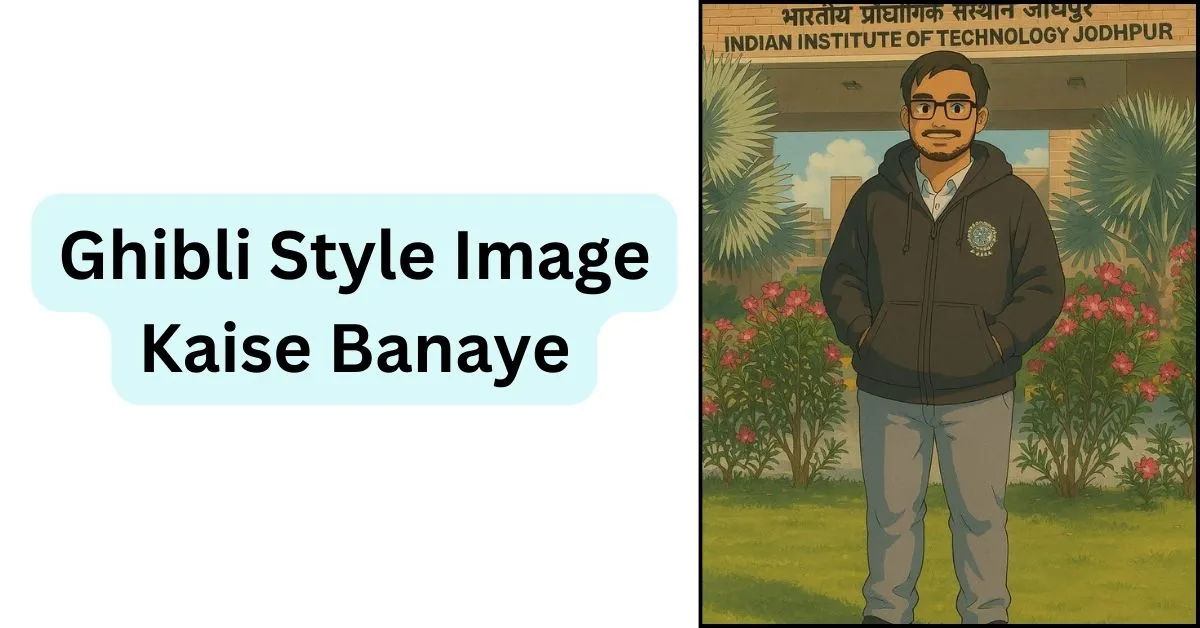
Studio Ghibli की खूबसूरत animation दुनियाभर में मशहूर है। इसके soft colors, dreamy landscapes और magical characters हर किसी को पसंद आते हैं। लेकिन क्या आप जानते हैं कि आप भी अपनी photo या idea को Ghibli-style drawing में बदल सकते हैं?
और सबसे अच्छी बात – आपको professional artist बनने की जरूरत नहीं! बस Chat GPT और AI tools की मदद से आप एक खूबसूरत Ghibli-style image बना सकते हैं। इस blog में आपको step-by-step process मिलेगा, जिससे आप अपनी खुद की Ghibli-style art बना सकेंगे।
Table of Contents
🎨 Ghibli-Style क्या होता है?
Ghibli-style एक special art style है, जिसे Studio Ghibli की मशहूर फिल्मों से पहचाना जाता है, जैसे:
🎥 Spirited Away, My Neighbor Totoro, Howl’s Moving Castle
इसकी खासियतें:
✔️ Soft, pastel colors (जो सुकून देते हैं)
✔️ Magic और nature का खूबसूरत मेल
✔️ हर scene एक कहानी जैसा लगता है
👀 Image idea: सोचिए – एक हरा-भरा गाँव, नीला आसमान, नदियाँ, और बीच में खड़ा एक मासूम character। यही Ghibli-style की पहचान है!
🤖 Chat GPT आपकी कैसे मदद करेगा?
अब सवाल यह है – Chat GPT से drawing कैसे बनेगी?
💡 Chat GPT खुद image नहीं बना सकता, लेकिन यह आपको सही prompts और ideas दे सकता है, जिससे आप AI art tools में perfect result पा सकते हैं।
Chat GPT की मदद से:
✅ Perfect prompts generate करें
✅ Ghibli elements (जैसे trees, sky, characters) के ideas लें
✅ Prompts refine करें ताकि image और बेहतर बने
🖌️ Step-by-Step Guide: Ghibli-Style Drawing बनाएं
Step 1: Chat GPT से Prompt बनवाएं
सबसे पहले, Chat GPT से एक detailed prompt बनवाएं। Example:
📝 “एक छोटा गाँव, जहाँ lush green fields और एक river हो। आसमान pastel blue हो, और एक लड़की red dress में खड़ी हो, Ghibli-style में।”
👉 Tip: Prompt में जितना detail होगा, result उतना ही अच्छा होगा।
Step 2: AI Art Tool का इस्तेमाल करें
अब AI image generation tools जैसे Midjourney, DALL-E या Stable Diffusion का इस्तेमाल करें।
📌 Prompt को copy करें और AI tool में डालें।
🔹 Extra Tips:
✔️ Prompt में “Ghibli-style” या “Studio Ghibli inspired” ज़रूर लिखें।
✔️ अगर पहली image सही नहीं बनी, तो Chat GPT से prompt को tweak कराएं।
(📷 Image placeholder: एक AI-generated Ghibli-style scene – एक लड़की river के पास खड़ी है।)
Step 3: Image को Refine करें
अगर पहली बार में image perfect नहीं बनी, तो Chat GPT से नया prompt लें और AI tool में दोबारा try करें।
🎨 Example:
❌ “Sky बहुत dark है”
✅ “Sky को और dreamy बनाओ, trees को lush green करो।”
Step 4: अपने Touch को Add करें
अगर आपको थोड़ी बहुत drawing या editing आती है, तो Photoshop या Procreate में image को और refine करें।
✔️ Colors adjust करें
✔️ Shadows और details add करें
🔧 Useful Tools और Tips
📌 Best Tools:
🔹 Chat GPT – (Prompts generate करने के लिए)
🔹 Midjourney, DALL-E – (AI art generate करने के लिए)
🔹 Photoshop, Procreate – (Final touch देने के लिए)
💡 Tips for Best Results:
✅ Simple scenes से शुरू करें (जैसे एक tree या एक character)
✅ Ghibli movies देखें inspiration के लिए
✅ Patience रखें – perfect result के लिए कई बार try करना पड़ सकता है
(📷 Image placeholder: एक before-and-after – AI image और edited version।)
🎭 Ghibli-Style Drawing के फायदे
🎨 Creativity Boost – नए ideas explore करें
📱 Social Media पर शेयर करें – Ghibli-style images viral हो सकती हैं!
😌 Personal Satisfaction – अपनी खुद की dreamy दुनिया बनाएं
🔥 Conclusion: अब बारी आपकी!
अब आपको पता चल गया कि Ghibli-style drawing कैसे बनाएं Chat GPT से! बस Chat GPT से prompts लें, AI tools में try करें, और अपनी creativity को उड़ान दें।
तो देर किस बात की? आज ही अपना पहला Ghibli-style scene बनाएं! ✨🎨
